
A tenant moves out on Friday, an employee loses a credential before opening, or a homeowner needs access after a long flight. These are the moments when the choice between smart locks versus cards stops being a technical detail and becomes a security decision. Both options can reduce the risk and inconvenience of traditional metal keys, but they solve access control in very different ways.
For Bay Area property owners and managers, the right answer depends on the door, the number of users, the building’s security needs, and what should happen when power, Wi-Fi, or a phone is unavailable. A credential system should make access easier without leaving you stranded outside or creating a weak point in the property.
Smart Locks Versus Cards: The Basic Difference
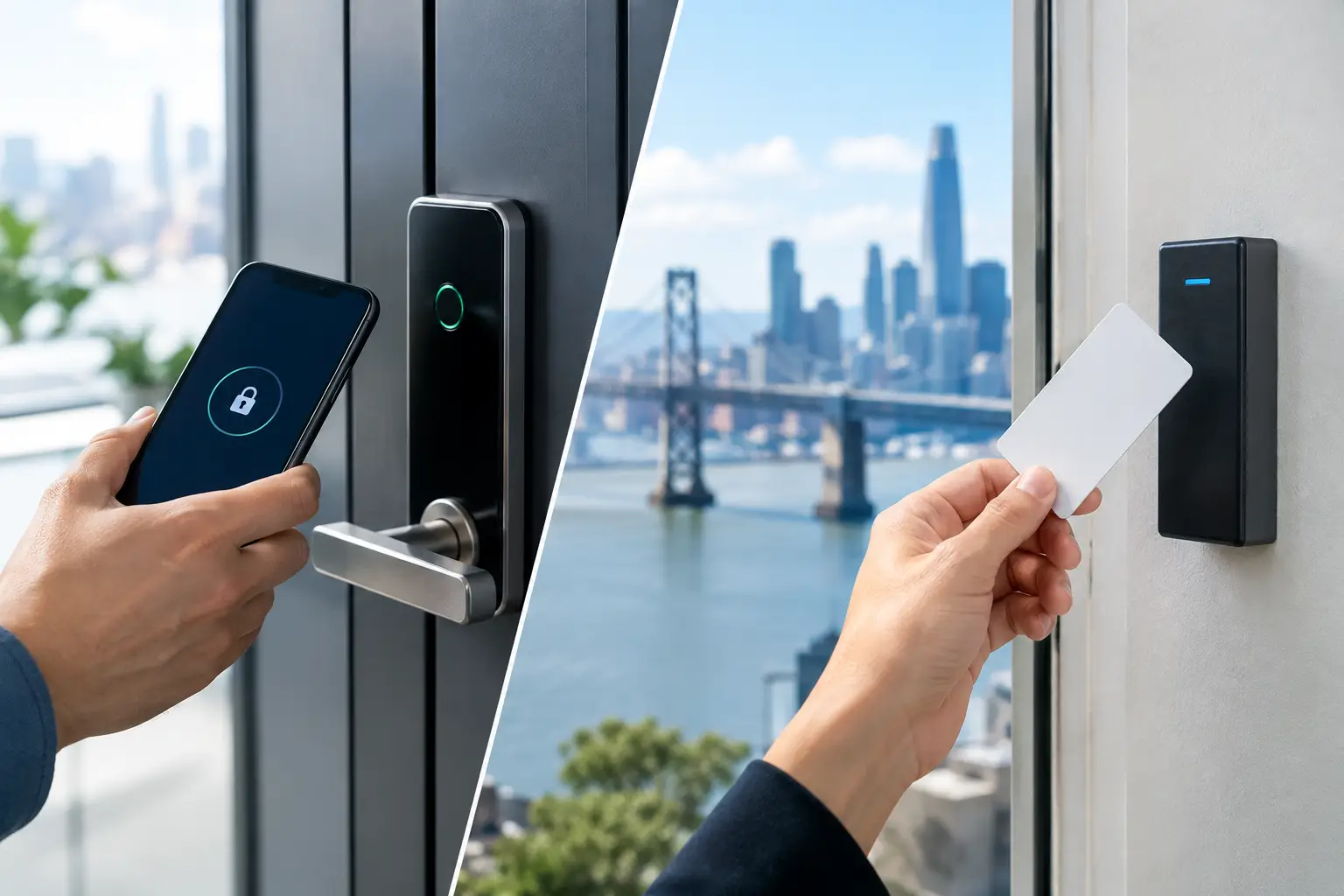
Smart locks are electronic locks operated by a phone app, keypad code, fingerprint reader, fob, or a combination of these methods. Many residential models replace a standard deadbolt and connect through Bluetooth, Wi-Fi, or a hub. Commercial smart locks may also connect to a broader access-control system.
Card access systems use programmed key cards, proximity cards, or key fobs that are presented to a reader near the door. They are common in office buildings, apartment common areas, hotels, clinics, and secured commercial spaces. The reader verifies the credential and signals the lock to release.
The biggest practical difference is how access is managed. With a smart lock, access may be tied to a code or a mobile device. With a card system, access is tied to a physical credential that can be issued, collected, deactivated, and replaced. Both can provide an audit trail, but the quality of that record depends on the system and how carefully it is managed.
When Smart Locks Make More Sense
Smart locks are often a strong fit for single-family homes, small rental properties, and doors with a limited number of authorized users. Instead of making copies of keys for family members, cleaners, contractors, or guests, the owner can create individual codes and remove them when the job or stay ends.
This is especially useful for short-term access. A contractor can receive a code that works only during scheduled hours. A dog walker can have access during the week but not overnight. If a code is shared too widely, it can be changed without rekeying the entire lock.
For homeowners, convenience is the main advantage. A keypad can prevent a lockout caused by forgotten keys, while many models still include a physical key override for emergencies. Some systems can send alerts when the door is opened or allow remote locking after you have already left the property.
Smart locks do have limits. A consumer-grade lock is not automatically the best choice for a busy commercial door. Frequent use, heavy doors, poor alignment, weather exposure, and multiple users can wear down hardware or expose weaknesses in a system that was designed for a front door, not a storefront. The lock body, strike plate, door frame, and installation quality still matter as much as the app.
The phone is not the whole plan
A smart lock that relies heavily on a phone can create trouble when a battery dies, Bluetooth fails, the app is not working, or an authorized user does not have signal. Choose a lock with dependable backup entry, such as a mechanical keyway or keypad, and make sure the people who need access know how to use it.
Battery-powered smart locks usually provide low-battery warnings, but those warnings only help if someone pays attention. A property manager should have a routine for checking battery levels, testing backup access, and updating user permissions.
When Card Access Systems Are the Better Choice
Cards and fobs are usually more practical when a property has many users, multiple entry points, or frequent turnover. A business can issue credentials to employees, restrict access to certain doors or times, and deactivate a lost card without changing the lock for everyone else.
For an office, retail operation, medical facility, warehouse, or multifamily building, that control can be more valuable than the convenience of a phone app. A manager can see who has access, remove access immediately when employment ends, and avoid the uncertainty of copied metal keys that may never be returned.
Card systems are also familiar to many users. An employee can keep a fob on a key ring or an access card in a wallet without installing an app or connecting a personal phone to a workplace security system. That simplicity matters in environments where staff changes often or where visitors need controlled access.
The trade-off is administration. Cards must be issued, tracked, replaced, and recovered. A card left in a car or loaned to another person can defeat the purpose of the system. Strong policies are necessary: report lost cards promptly, prohibit credential sharing, and deactivate access as soon as a person no longer needs it.
Not every card system offers the same security
Older low-frequency proximity cards can be easier to copy than newer encrypted credentials. The reader, card format, control panel, and system configuration all affect security. A cheap reader installed on an exterior door may look professional while providing far less protection than the property owner expects.
For higher-risk doors, consider a system that uses encrypted credentials, scheduled access, audit reporting, and properly secured wiring. The door should also have the correct commercial-grade hardware. An access card cannot compensate for a weak latch, damaged frame, or improperly installed electric strike.
Security Depends on the Entire Door
The question is not simply whether a smart lock or card reader is safer. Security depends on the device, the installation, the credentials, and how people use the system.
A smart lock can be a good security upgrade if it is installed on a solid door with a properly reinforced strike plate, protected against shared codes, and supported by reliable backup entry. A card system can be excellent for a commercial facility if credentials are encrypted, access is removed promptly, and the door hardware is suitable for the opening.
Property owners should also think about tailgating. Neither a smart lock nor a card reader prevents one authorized person from holding the door open for someone else. At a business, access policies, door closers, cameras, and staff awareness may be just as important as the credential itself.
Fire and life-safety requirements matter too. Exterior access can be electronically controlled, but people must be able to exit safely according to applicable code. Commercial doors should not be altered with electronic hardware without considering panic hardware, emergency egress, local requirements, and the building’s existing fire and security systems.
Cost, Maintenance, and Failure Planning
A basic residential smart lock may cost less upfront than a professionally installed card system. However, the price of the device is only part of the decision. Installation, door preparation, hardware compatibility, batteries, subscriptions, replacement credentials, system programming, and ongoing support all affect the real cost.
Smart locks generally require battery maintenance and occasional software or app updates. Card systems may require a controller, power supply, cabling, readers, credentials, and professional programming. For one house, that level of infrastructure may be unnecessary. For a building with several doors and dozens of users, it can be the more organized and secure investment.
Plan for failure before it happens. Ask what occurs during a power outage, internet outage, dead battery, damaged reader, lost phone, or lost card. Some systems are designed to fail secure, meaning the door remains locked when power is lost. Others may need a safe exit function or backup power. The correct setup depends on the door’s purpose and safety requirements.
Choosing the Right Access System for Your Property
A smart lock is often the better fit when you manage a home, a small rental, or a single door and want flexible codes with minimal infrastructure. Cards or fobs are usually the better fit when you manage employees, tenants, multiple doors, or regular access changes.
Some properties benefit from both. A small office may use card access at the main entrance while using keypad-equipped smart locks for a private supply room or manager office. The goal is not to install the newest device. The goal is to create access that is easy for authorized people and difficult for everyone else.
Before replacing a lock or adding electronic access, have the door, frame, latch, and existing hardware evaluated. A qualified locksmith can identify alignment problems, weak hardware, improper door preparation, and backup-entry concerns before they turn into an after-hours lockout or a costly security gap.
YES Locksmith helps Bay Area homeowners, property managers, and businesses assess lock upgrades, repair damaged hardware, and restore access without unnecessary damage. When access or security is on the line, choose a system that your property can depend on – and keep a professional locksmith’s number available before the next credential goes missing.